> ## Documentation Index
> Fetch the complete documentation index at: https://docs.anlytic.com/llms.txt
> Use this file to discover all available pages before exploring further.
# Initial setup
To begin using the Anlytic platform, you will first create an account and set up your workspace. Follow the steps below to complete the initial configuration.
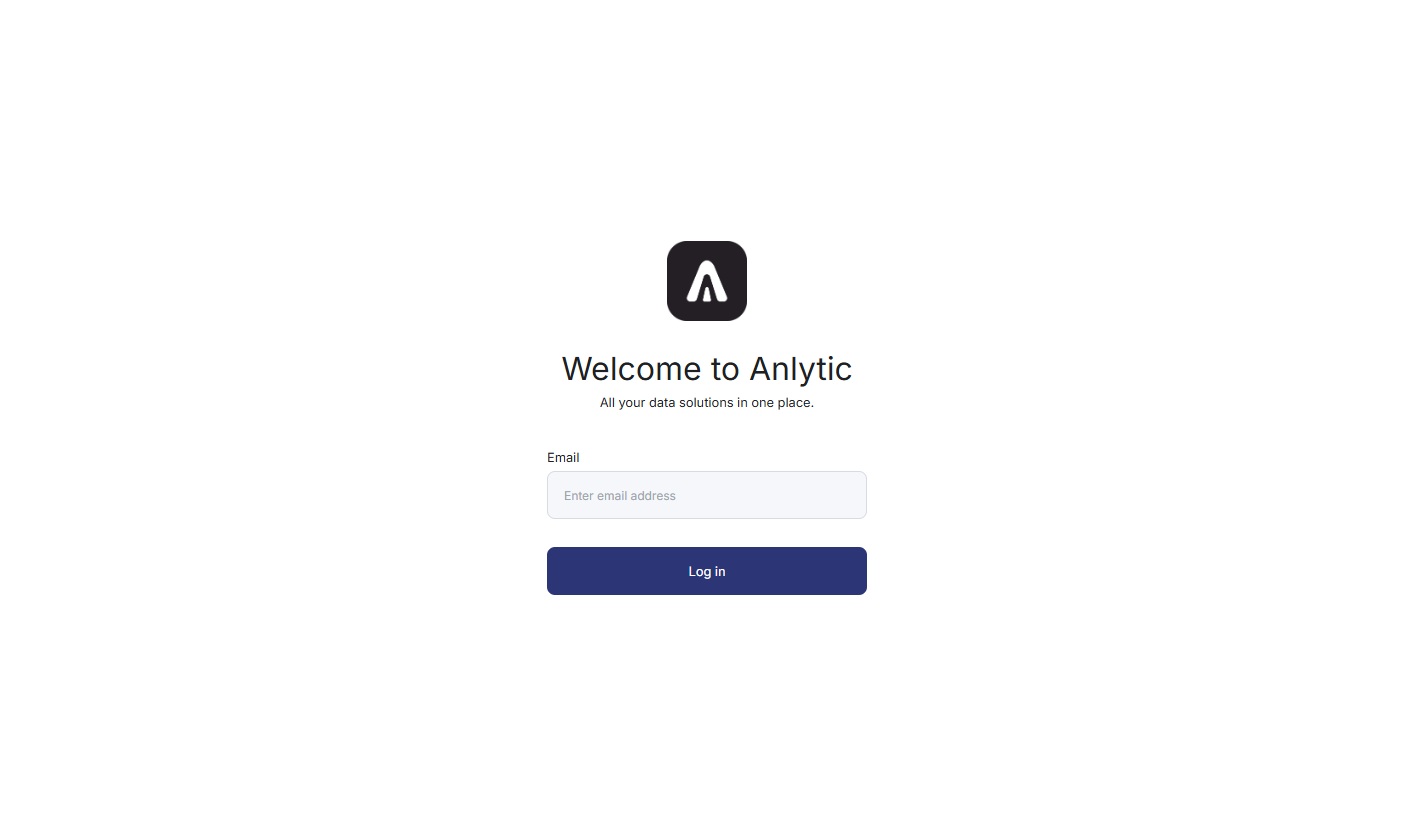
1. Enter your email and click **Login**\
Go to the [sign up](https://app.anlytic.com/) page, type your email address, and select **Login** to begin the registration process.\\
 2. Verify your email using the One-Time Password\
A verification email will be sent to your inbox. Copy the One-Time Password and paste it into the verification field to continue.
3. Complete your user profile\
Provide your **first name**, **last name**, and **username**, then click **Continue** to proceed.
4. Create your workspace\
Enter a **workspace name** and a **workspace slug**.\
The workspace name identifies your environment, and the slug is used to generate your workspace URL.\
Click **Continue** to complete the setup.
*The workspace slug must be unique. If the slug already exists, the system will show an error message and you will need to choose another one.*
2. Verify your email using the One-Time Password\
A verification email will be sent to your inbox. Copy the One-Time Password and paste it into the verification field to continue.
3. Complete your user profile\
Provide your **first name**, **last name**, and **username**, then click **Continue** to proceed.
4. Create your workspace\
Enter a **workspace name** and a **workspace slug**.\
The workspace name identifies your environment, and the slug is used to generate your workspace URL.\
Click **Continue** to complete the setup.
*The workspace slug must be unique. If the slug already exists, the system will show an error message and you will need to choose another one.*
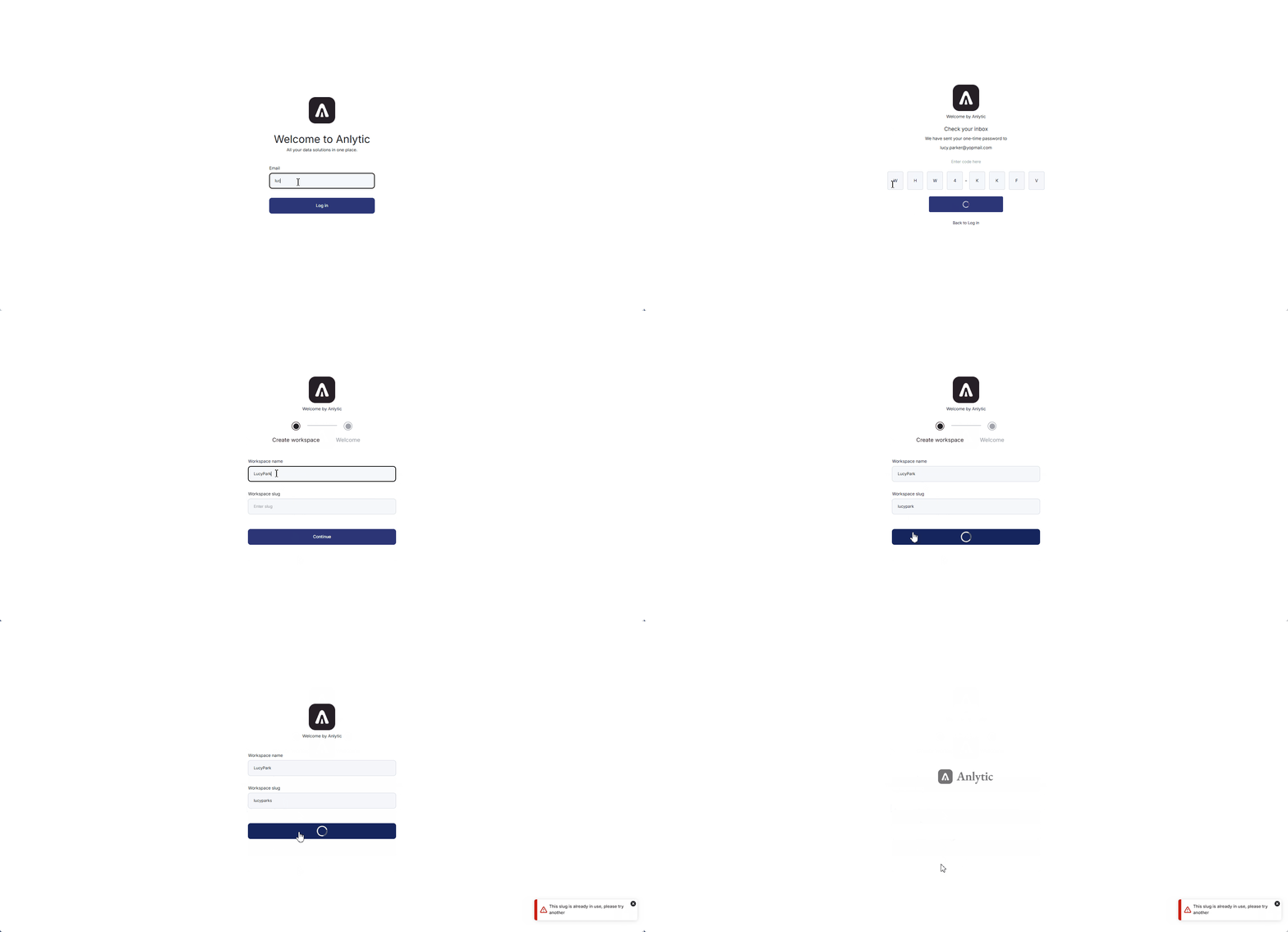 Once these steps are completed, your account and workspace will be fully set up. You can now proceed to connect your first data source.